




1. Why I built this
I was not happy with what was out there. So I finished my own.
My background is cold email. Over the years I watched cold email reply rates drop and drop. It still gets results, but the question is whether it is still profitable. Especially if you do not want to do calls. That is very hard. So I looked at LinkedIn.
I did LinkedIn outreach myself first, by hand. I even paid for programs to learn what actually needs to be done. What they teach is a script: who to connect with, how to open without pitching, how to move a chat from hello to a sale.
And the people who sell those courses all say the same thing. You cannot automate it. You need to really personalise it, and AI cannot do that.
But I'm a builder. I build SaaS. So before I spent my days typing DMs, I went looking for a tool that already did it. When DM Champ launched on AppSumo I saw the other products that launched there, and several of them were LinkedIn outreach tools. I tried those, and the tools off AppSumo too, to see what they all offer.
I was shocked.
Most are still hardcoded sequences, with AI bolted on. Day one, connect. Day three, message A. Day seven, message B. Same words for everyone, whatever they said back. The AI writes your first line, then the sequence takes over again. That makes no sense in the age of AI.
The fully autonomous ones sound like AI. They do have the conversation. But you read the messages and it is obviously AI.
Either the AI is bolted on, or it sounds like AI. Honestly, it was kind of a joke.
I already ran DM Champ, whose AI agent sells in chat. One of those chats closed a $40,000 deal with zero humans involved.
- The $40,000 chat on dmchamp.comEvery message of it, start to payment.
I had started a LinkedIn system of my own earlier and put it on hold. After seeing what was out there, I finished it. That is SDR Pilot. The script the courses teach is inside it, and it runs on my own LinkedIn account at a person's pace.
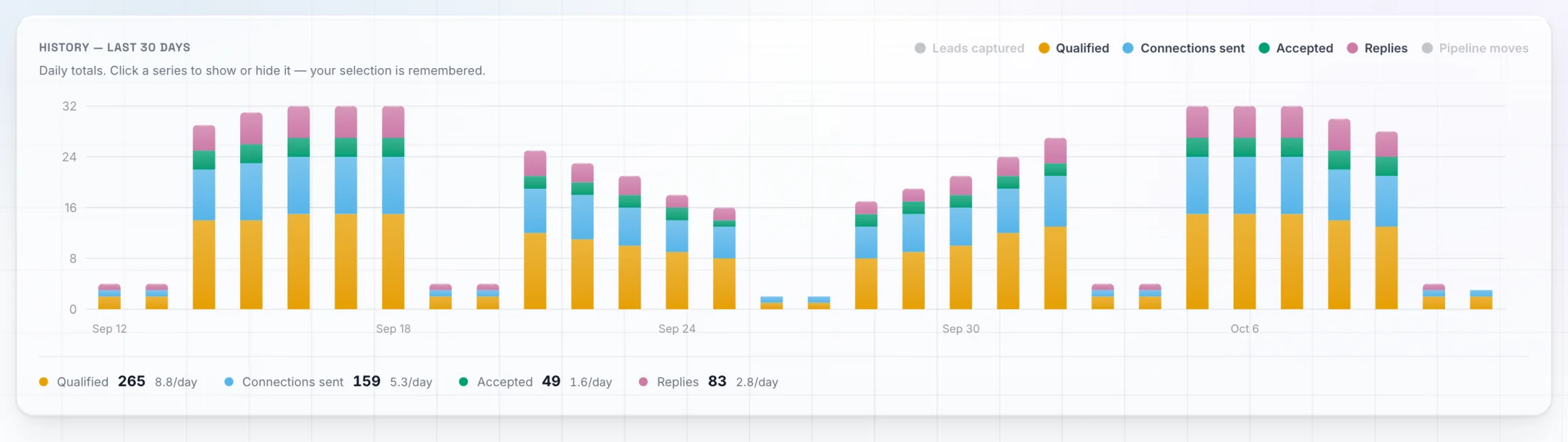
My LinkedIn account has sent its connection requests through SDR Pilot since 8 August 2026. Since 24 August 2026 it has run with no human in the loop: it finds the people, sends the requests, writes the opener and answers the replies.
- 43%
- Requests accepted
- 42%
- Openers that got a reply
- 20
- Requests a day
- 3
- Paying customers
171 of 401 sent, 11 to 30 September 2026.
76 of 181 sent, 11 to 30 September 2026.
The default cap. No connection note.
$1,994 paid upfront plus $97 a month. Zero sales calls.
It did not start at 43%. Across everything sent since 24 August, 663 requests through 30 September, 236 were accepted, which is 36%. From 11 to 30 September it was 171 of 401. The rate went up as I tightened who it targets.
The pace never changed. It sends 20 connection requests a day, the default cap, with no connection note. In that same September window 181 openers went out and 76 people wrote back.
Three people have become paying customers through conversations on this one LinkedIn account so far. Two paid $997 upfront, which is $1,994, and one pays $97 a month, which is $1,164 a year in recurring revenue. I had zero sales calls with any of them. The first one paid on 16 September 2026, 20 days after a cold connection request went out. The agent ran that thread from the first message to the payment, and no human wrote a single line in it. In the other two the agent ran the conversation and I stepped in myself to close.
It is not only my account. Marlon Bermas, a member of our community, posted his first 30 days: 194 connection requests, 33 accepted, 14 replies and 2 booked meetings. That is 42% of the people who accepted writing back, the same reply rate I see. The agent ran both of those conversations on its own, with no human message in either.
The agent that closed a $40,000 deal in chat is the same one that now runs my LinkedIn.


What I got wrong: the conversation kept asking questions and never said what we sell, and about a third of the people who replied went quiet before they heard it. I am still tuning it. The numbers and the fix are further down, in the part about replies.
2. What you get on this page
The whole system, step by step, with the prompts I use. Free. No account needed for the by hand part.
Below is everything my LinkedIn runs on. Who to talk to, where to find them, what to say first, and what to say when they answer. You can run all of it by hand today with LinkedIn and any AI assistant, such as Claude or ChatGPT.
Then I show you where SDR Pilot does the same steps for you, and what it will not do.
I wrote this for people who sell B2B themselves: founders, consultants, coaches, fractional people and agency owners. You do not need to be technical.
What you need
- A LinkedIn account. A normal one is fine.
- Any AI assistant for the prompts, such as Claude or ChatGPT.
- About an hour for Part 1.
- SDR Pilot, only for Part 2.
Which describes you?
I am a founder selling my own product
Start with who buys from you. Everything else leans on that. Go to the ICP prompt
I am a consultant or a coach
You already know who buys from you. Start at the opener, and come back to the ICP prompt when the replies are from the wrong people. Go to the opener
I run an agency
Run the numbers for one LinkedIn account first. Then read what SDR Pilot does with each step. Go to the calculator
I already use a LinkedIn tool
Skip to where SDR Pilot comes in, then read the honest limits. Go to where SDR Pilot comes in
- Download all the promptsOne file with the three prompts and the message template from this page.
3. Start with who buys from you
One prompt. Paste your website and your three best clients, and get back who to target, who to skip and the signs that someone is in market.

“Cold outreach is dead.”
Half of that is true. Cold email reply rates have been dropping for years. I watched it happen.
But on my LinkedIn account, 76 of 181 openers got a reply between 11 and 30 September 2026, at 20 connection requests a day. And three conversations on this account turned into paying customers.
The difference is who you talk to. So you do not start with a message. You start with a clear picture of who buys from you.
Here is what to do instead
Most outreach fails before the first message. The list is wrong. So do not describe your buyer from memory. Start from the people who already paid you. They are the only proof you have.
The ICP prompt
Fill in the brackets and paste it into Claude or ChatGPT. Keep the answer open in a tab, you will hold profiles against it in the next step.
You are a B2B sales strategist. Help me write my ideal customer profile for LinkedIn outreach. Use only what I give you below. Where you have to guess, say that it is a guess. My website: [paste your homepage text, or the link if your assistant can read links] What I sell, in one sentence, and the price range: [write it] My three best clients. For each one: their job title, what their company does, the company size, the country, why they bought, and how they found me. 1. [client one] 2. [client two] 3. [client three] A client I regret taking, and why (optional): [write it, or "none"] Give me back: 1. WHO TO TARGET. The job titles, industries, company sizes and countries, each as a short list. Base this on what the three clients have in common, not on who could buy in theory. 2. WHO TO EXCLUDE. The people who look similar on LinkedIn but will not buy or cannot pay, and how to spot each one from a profile alone. 3. IN MARKET SIGNALS. Eight things I can see on LinkedIn that suggest this person has the problem right now: what they post about, what they comment on, a recent job change, hiring, a line in their headline. Rank them from strongest to weakest. 4. A ONE LINE TEST. A single sentence I can hold a profile against in ten seconds and answer yes or no. 5. FIVE SEARCH PHRASES. Words my buyers use in their own posts about the problem I solve, so I can search LinkedIn posts for them. 6. WHAT IS MISSING. The three questions you would ask me to make this profile sharper. Keep it plain. No jargon.
Answer the three questions it asks at the end and run it once more. The one line test is the part you will use every day.
- Download all the promptsThis prompt and the others on the page, in one file.
4. Find the people by hand
Six places in LinkedIn's own screens where buyers show themselves. Start with the warm ones.
You do not need a tool for this part. LinkedIn already shows you who is interested. You just have to look in the right places.
Incoming connection requests
Open My Network and read your invitations. These people pressed the button first, and most accounts have a backlog nobody reads. Accept the ones who pass your one line test.

Profile viewers
Open Who viewed your profile. Someone who read you and moved on had a reason. How many you can see depends on your LinkedIn plan.
People who engage with your posts
Open the reactions and the comments on your own recent posts. They chose to engage in public with something you said.

Posts in your market
Search LinkedIn for the five phrases from your profile, switch the results to Posts, and open the ones with a real discussion. Read the commenters and the people who reacted.
Your own connections
Scroll your connections. Most of them you have never spoken to, and you can message them without sending a request.

Event attendees
Find a LinkedIn event your buyers go to, click Attend and open the list of attendees. This one is a by hand method only, SDR Pilot does not work events.
Pick ten people a day who pass the one line test. Ten a day by hand keeps you well inside LinkedIn's own weekly invitation allowance of roughly 100.
Send the connection request with no note. A note is what makes a stranger read the invitation as a sales pitch. Save the personal part for the first message after they accept.
5. Open with one easy question
A short burst that names one specific thing about them. No product, no pitch, no link. It ends on one either/or question about how they win clients today.
“Nobody answers LinkedIn DMs any more.”
They do not answer pitches. They answer easy questions.
On my own LinkedIn account, from 11 to 30 September 2026, 181 openers in this shape went out and 76 got a reply. Of the 97 first replies we read in that period, 69 simply answered the question that was asked. People answer an easy question.
Here is what to do instead
This is the shape I use. The either/or question is the whole trick. It takes five seconds to answer, and the answer tells you whether they have the problem you solve.
The rule. One specific thing about them, then one easy either/or question. No product, no pitch, no link.
The shape: opener, day 3, day 5
Replace the brackets by hand. The follow up on day 3 is a single question. The one on day 5 is a soft exit. After that, nothing.
OPENER. Two or three short messages, sent once they accept: [First name], saw your [post about X / line on your profile about Y]. [One honest sentence on why it caught your eye.] Do most of your clients come from referrals or outbound? DAY 3. Only if they have not answered. One question, nothing else: [First name], is [finding new clients] on your plate this quarter, or is it handled? DAY 5. The last one. A soft exit: No worries if [finding new clients] is not a priority right now, [first name]. I will leave it here. After day 5, send nothing more.
One specific thing, from their profile or a recent post, that only they would recognise.
One question, with two easy answers.
No product, no pitch and no link in the opener or in either follow up.
Never more than three messages to someone who has not answered.
- Download all the promptsThe template and the opener prompt are in the file too.
6. Write like a person, and say what it is
The opener comes from their own profile. And the agent comes clean before it sends a link.
“You cannot automate this. It needs real personalisation, and people can tell when it is AI.”
That is what the courses told me. And for most of the tools I tried, they are right. Either the AI is bolted on, or it sounds like AI.
I am not going to tell you nobody notices. What I can tell you is that people stop replying to bad writing, whoever wrote it.
So judge the writing. This is one thread the agent opened on its own, unedited.
saw your point about whatsapp turning into a black hole where bookings quietly disappear, that one landed
you build ai agents and run workflow audits for us-based agencies right?
how do you currently capture those high-intent messages without losing them
Hello Sohaib Yeah I am currently helping us based business for their ai agents and workflows as well. I find out that problem around 2 years ago business missing leads, not taking proper followups, need a huge sales team.
small confession, you've been chatting with my SDR Pilot agent this whole time, it runs my linkedin dms now. worth a look?
Oooooh great!
I will check that out.
The playbook tells this agent to come clean before it sends a link. Yours says what you want it to.
Here is what to do instead
Write the opener from the person's own profile, one person at a time. This prompt drafts it for you, with both follow ups.
The opener prompt
Paste one person's profile and let your AI assistant draft the opener and both follow ups in this shape. Read every draft before you send it.
You are helping me write a first LinkedIn message to someone who just accepted my connection request. I am not selling anything in this message. Their profile, pasted from LinkedIn: [paste their headline, About section and current role] A recent post or comment of theirs, if there is one: [paste it, or write "none"] Write the opener as two or three very short chat messages, the way a person types on their phone. Rules: 1. The first message names ONE specific thing from their profile or post. Refer to something only they would have written. No compliments like "great post" or "impressive background". 2. Do not mention my product, my company, what I do, or any link. 3. The last message is one easy either/or question about how they win clients today, for example "do most of your clients come from referrals or outbound?". Adapt the two options to their business so both are answers they could really give. 4. Exactly one question in the whole opener. 5. No "hope you are well", no filler, no exclamation marks, no emojis. 6. Under 45 words in total. Then write two follow ups for me to keep: Day 3: one single question, under 20 words, no product, no link. Day 5: a soft exit that starts with "No worries if" and names the topic. No product, no link, no question. Give me three versions of the opener so I can pick one.
7. When they reply, say what you sell
In your very next message, in one or two lines. Then offer something to look at, not a call.
“You cannot close without a call.”
Three people paid me out of LinkedIn conversations. I had zero sales calls with any of them.
The missing call is not what kills the sale. Never saying what you sell is.
This is where I got it wrong. They answer your question, you ask another one, then another, and they drift off without ever learning what you do.
In the 30 days to 11 October 2026, 34 of the 98 people who replied on my own LinkedIn account went quiet before they had heard what we sell. Now the first reply gets the offer.
Sohaib, founder of SDR Pilot
Here is what to do instead
The rule. The first reply gets the offer. One or two lines on what you sell, then something to look at.
React to their answer in one short line, so they know a person read it.
Say what you sell in one or two plain lines, tied to what they just told you.
Offer something to look at: a short demo video, a page, a free trial or a one page doc. It asks for two minutes, not a slot in their calendar.
One question at most, and it is whether they want the thing you offered.
The reply prompt
Paste their reply and your offer. You get a short answer that says what you sell and points at something they can look at.
A lead just replied to my first LinkedIn message. Help me write my next message. Their reply: [paste it] What I sell, who it is for and what it costs: [write it in two or three lines] Something they can look at without talking to me (a short demo video, a page, a free trial, a one page doc): [paste the link or describe it] Write my reply as two or three very short chat messages: 1. React to what they actually said, in one short line. 2. Say what I sell in one or two plain lines, tied to their answer. No buzzwords. 3. Offer the thing to look at and ask if they want it. Do not ask for a call or a meeting. One question at most. No exclamation marks, no emojis. Under 60 words.
8. Go at a human pace
What gets an account restricted is behaviour a person would never show. So do not show it.
“Automation gets your account banned.”
It can. In 2026 LinkedIn went after the vendors: company pages removed, founders' own profiles restricted. And LinkedIn does not publish the rules it enforces, so nothing can promise an account is safe.
What a tool can tell you is what it does and what the numbers are. These are the signals the old way gave off.
- An account that has always signed in from one city and then appears from a datacenter in another continent.
- A second browser fingerprint on one session, which reads to LinkedIn as a stolen cookie.
- Two threads answered in the same second. That is the shape automation has and a person does not.
- Read volume. Reading too many profiles is what draws attention.
- A pile of stale unanswered invitations.
Here is what to do instead
By hand, the rule is simple. About ten requests a day, no note, and never more than three messages to someone who has not answered.
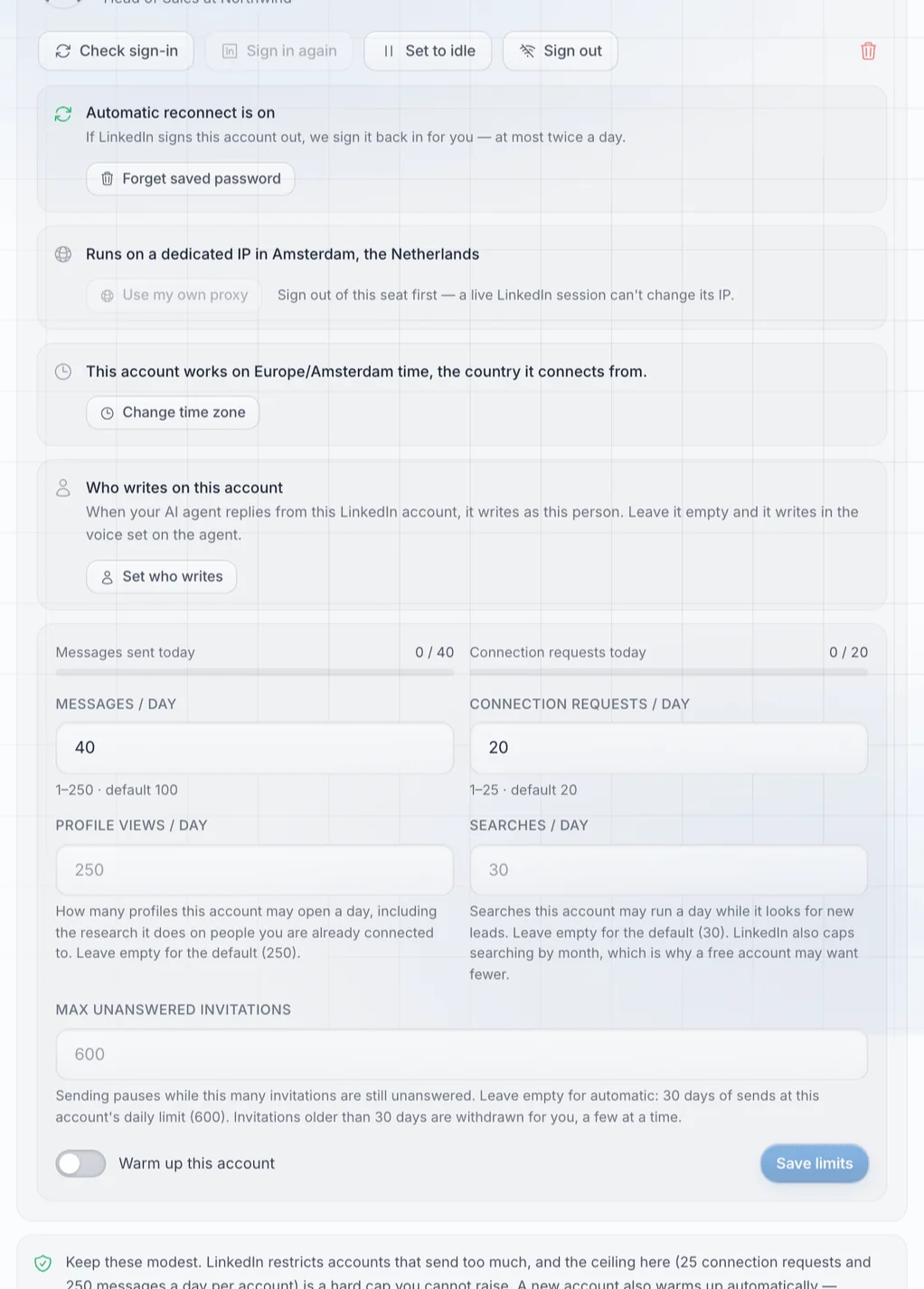
SDR Pilot is built on the same idea. Requests, profile reads and replies are queued and paced across the hours you set, one action at a time. It runs on your own session and one dedicated residential IP in your country, with no browser extension.
- 20
- Connection requests
- 100
- Messages
- 250
- Profiles read
- 30
- Searches
A day, per sender, with 25 as the hard ceiling.
A day, with 250 as the ceiling.
A day.
A day.
A new sender warms up first: 5 requests on day one, one more each day, reaching 20 on day 16. Nothing can promise an account is safe, so every cap is published and conservative.
A new account starts at 5 requests a day and adds one a day until it reaches 20 on day 16.
The daily cap. 20 connection requests a day by default, 25 at the ceiling. A sender will not go past it.

9. Where SDR Pilot comes in
Everything above works by hand. It is also all already built.
Doing it by hand takes time every single day. So here is each step again: what you did by hand, and what SDR Pilot does with it on your own LinkedIn account.
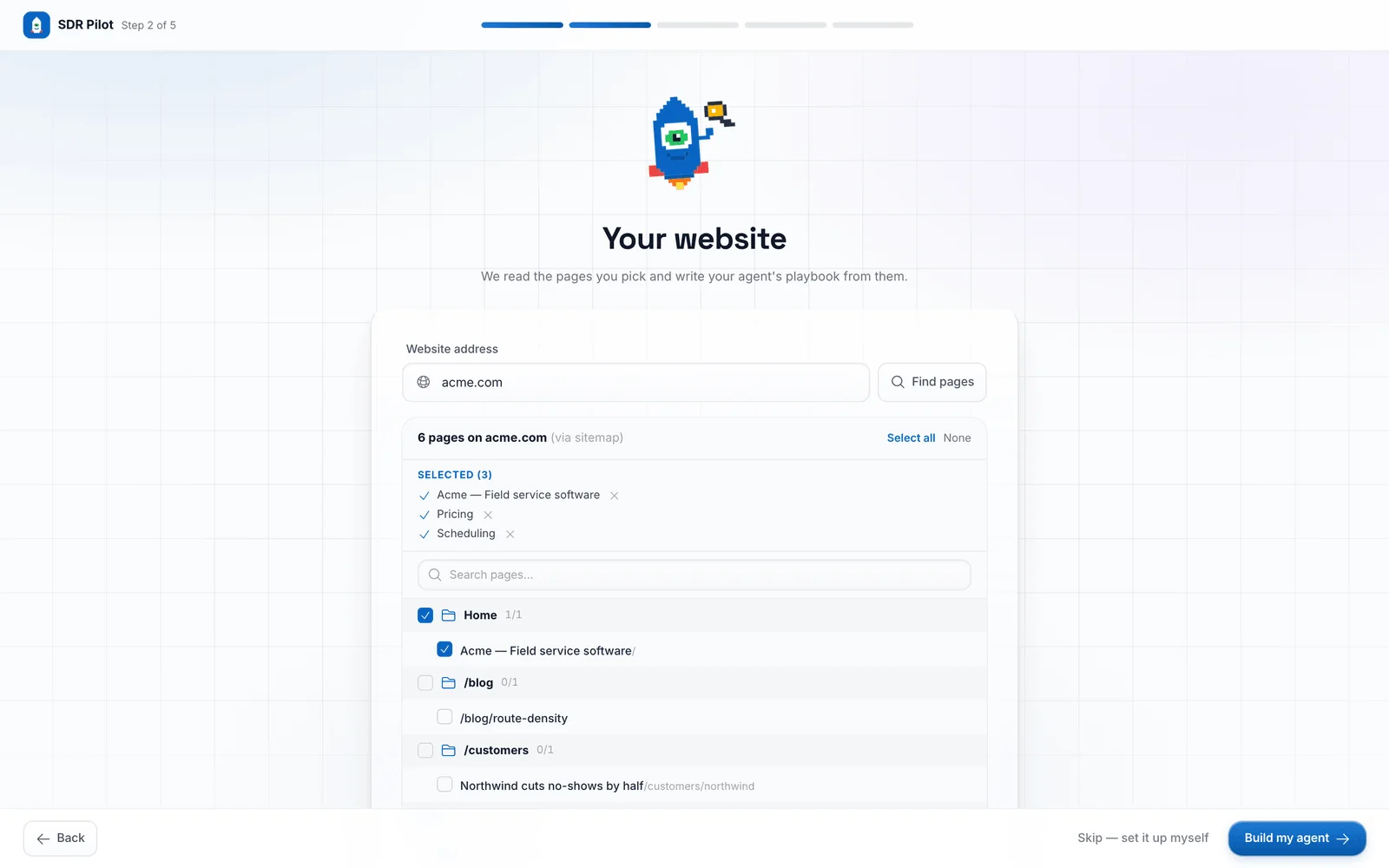
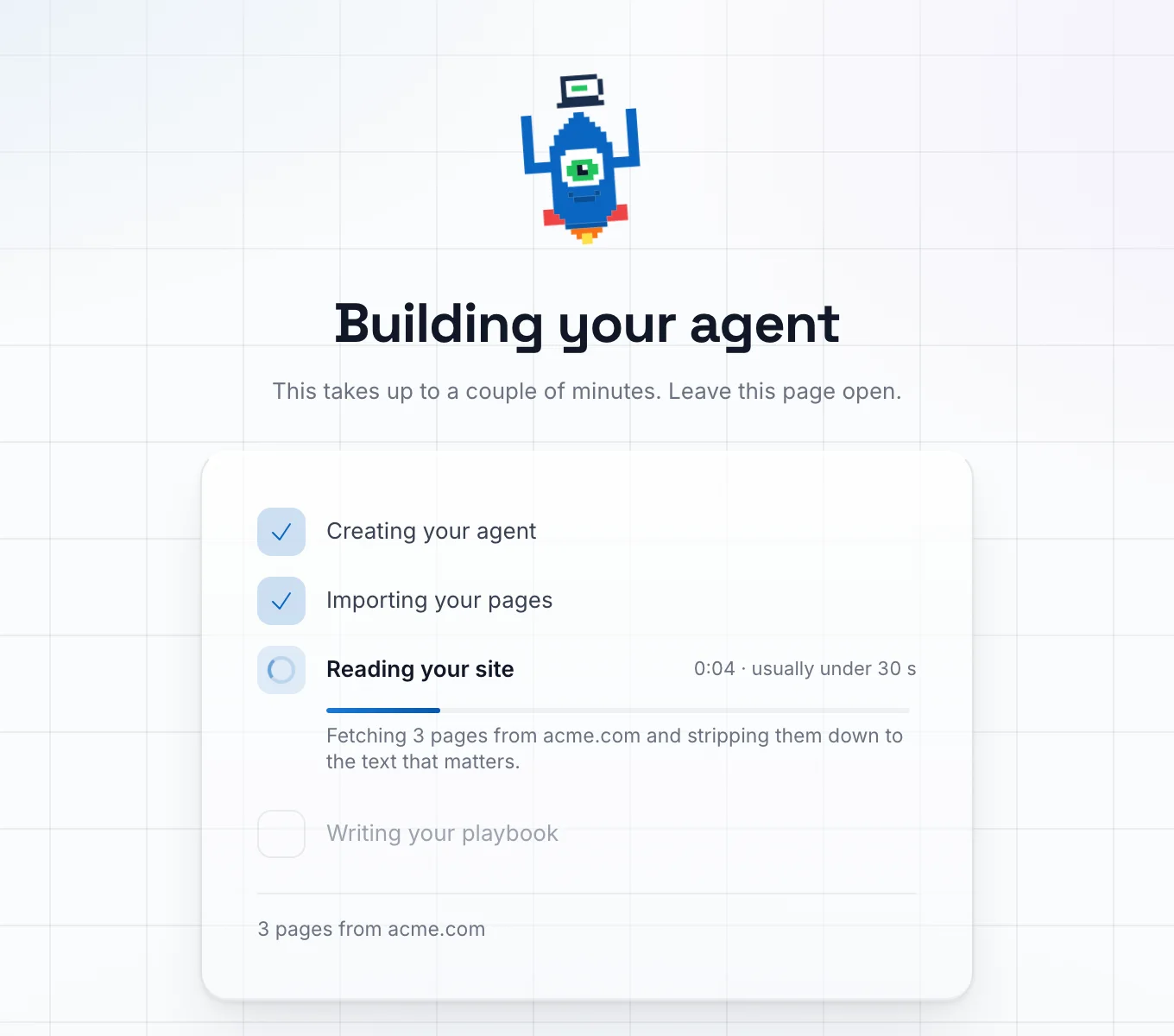
It is plug and play. You enter your website and connect your LinkedIn account. It reads the site, writes the playbook and your first ideal customer profile, and starts finding people. There is no prompt to write and nothing to set up by hand.
ICP
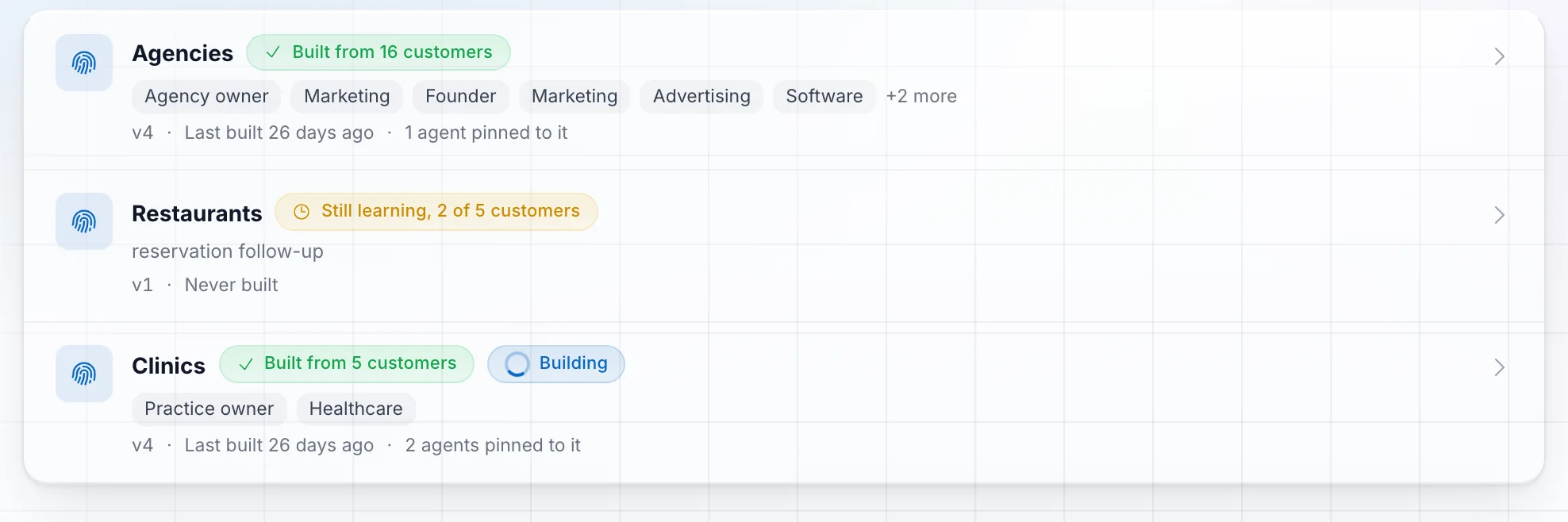
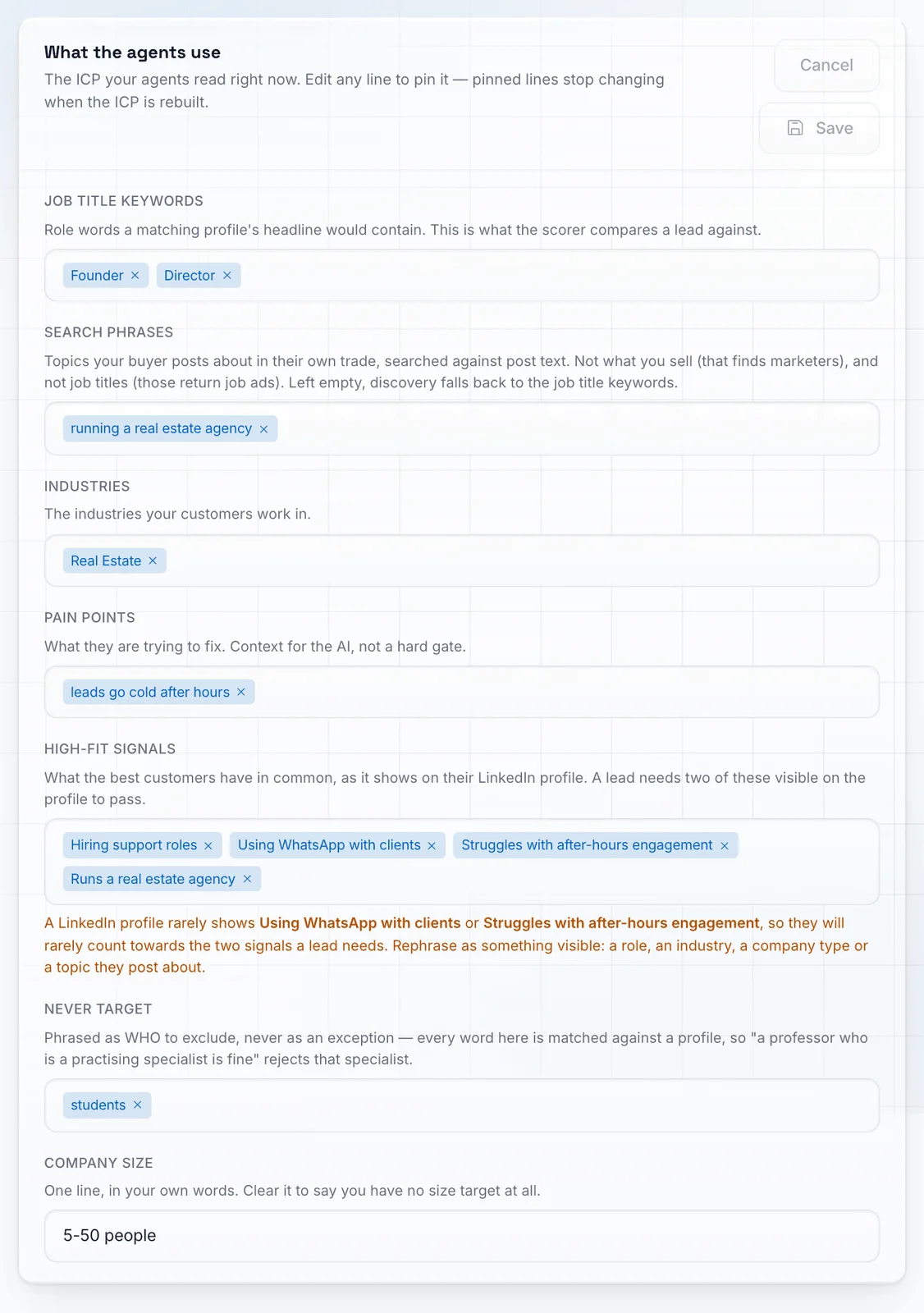
You wrote your ideal customer profile by hand in chapter 3. Here you only entered your website. It read the site and wrote this profile for you. Click the profile.
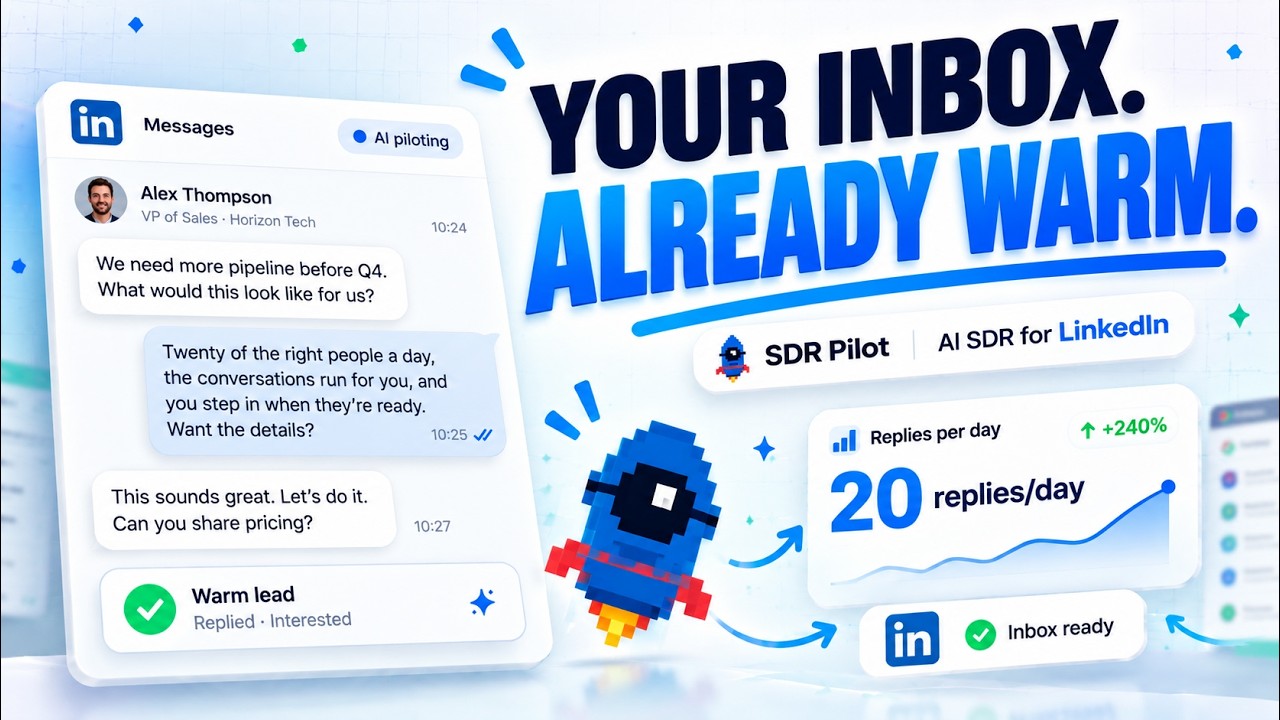
This short video shows SDR Pilot at work.
 1. By hand
You wrote your ideal customer profile with a prompt.
It reads your website and drafts a playbook, a set of FAQs and a first ideal customer profile. Mark the people who bought from you as customers and the profile is rebuilt from what they have in common.
 2. By hand
You looked in six places for people.
It works six lead sources, warm ones first: incoming connection requests, profile viewers, people who engage with your posts, posts in your niche, people search on your ICP, and your own connections. The order is yours to change and each source can be switched off.
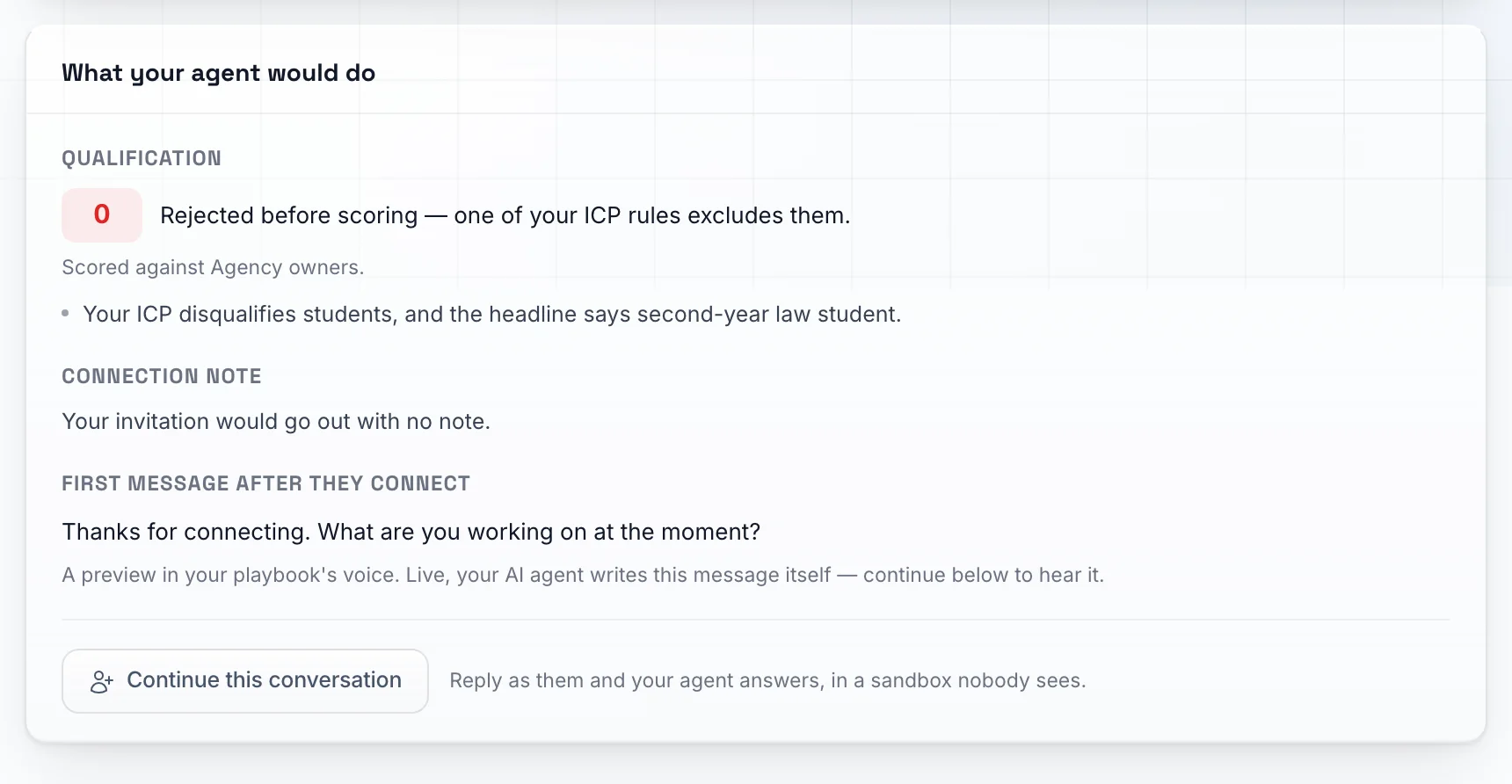
3. By handYou held every profile against your one line test.
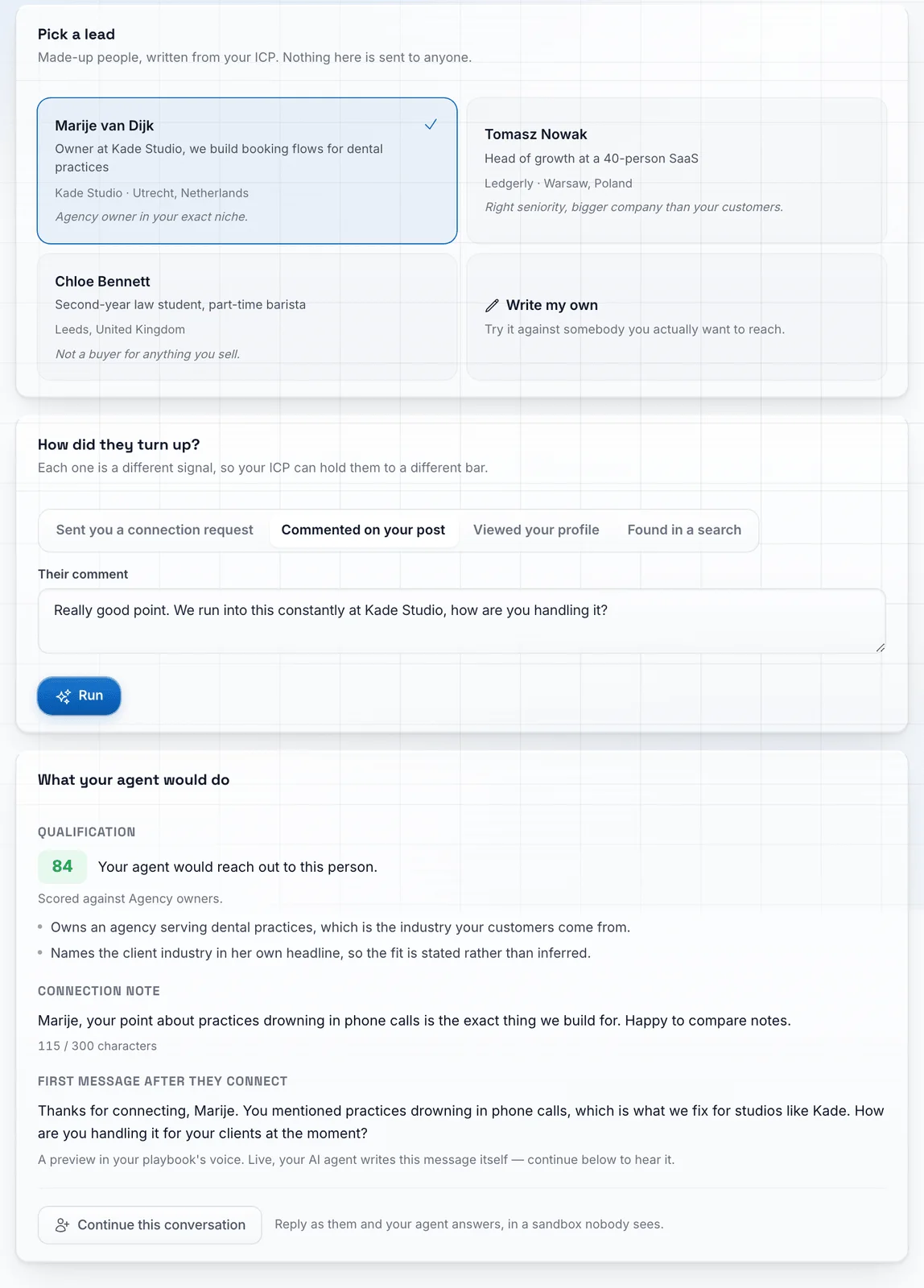
Every profile is read in full and scored against your ICP before anything is sent, and most people get a no. A lead is either queued for a connection request or disqualified with a reason you can read.
 4. By hand
You wrote the opener and two follow ups yourself.
The connection request goes out with no note by default. After they accept, each message is written from your playbook and the person's own profile, so there are no templates and no sequences to build. Follow ups are short, AI written nudges when a lead goes quiet.
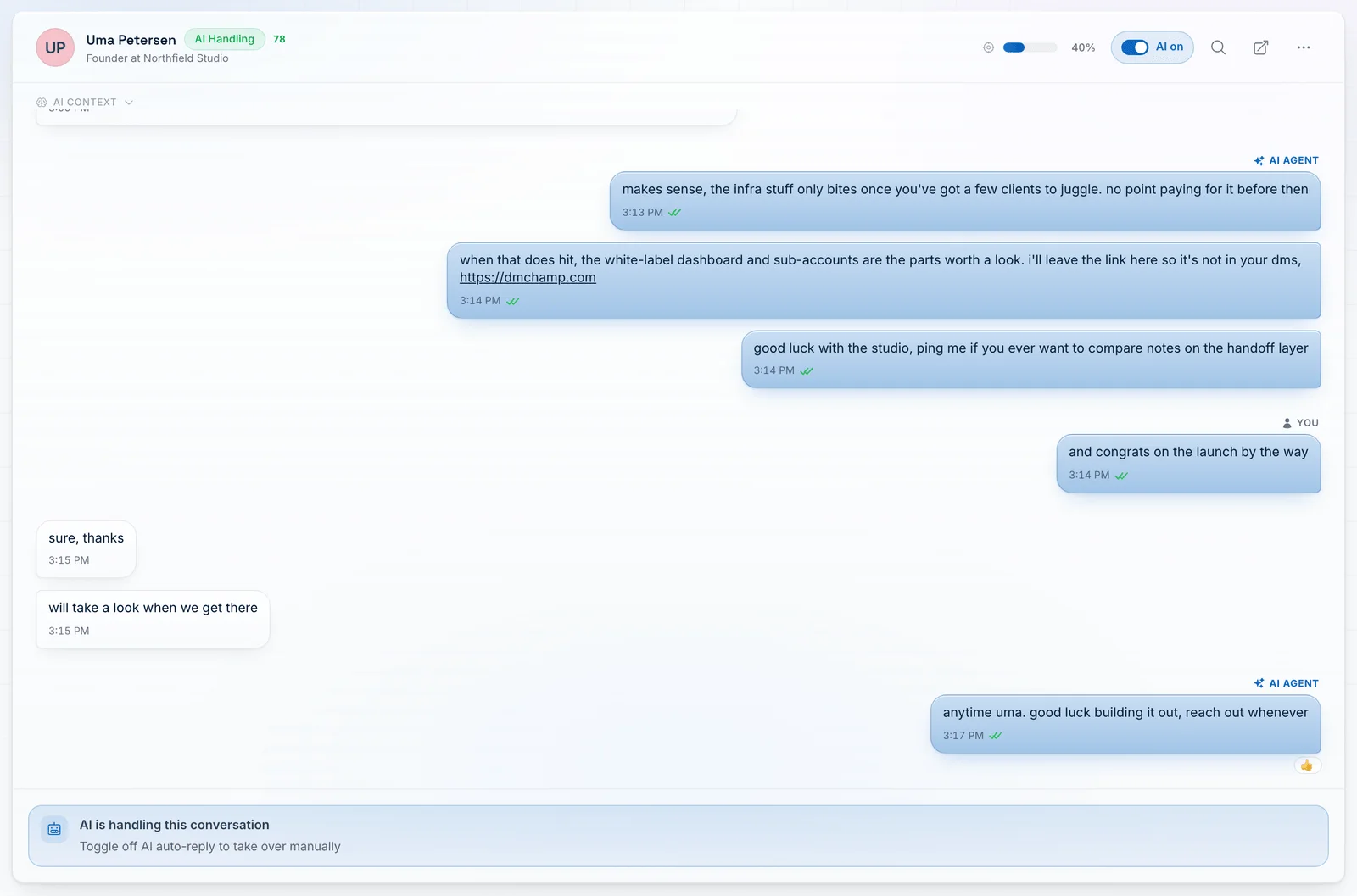
5. By handYou answered every reply yourself.
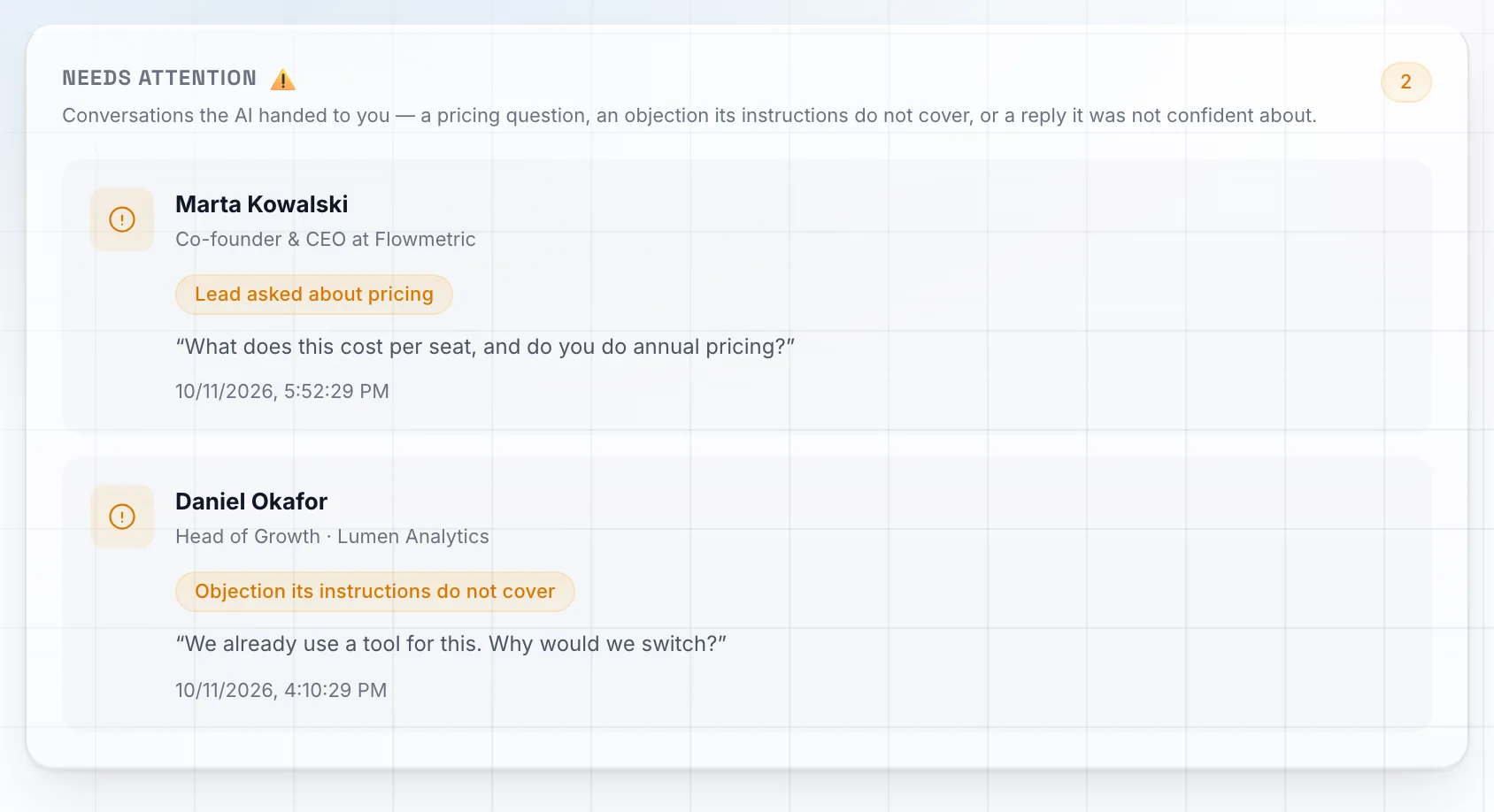
The agent answers from the playbook and from what it read on their profile. It holds the conversation, answers questions, qualifies, and hands the thread to you when the lead is ready. Answer a lead yourself and it stands down on that thread.
 6. By hand
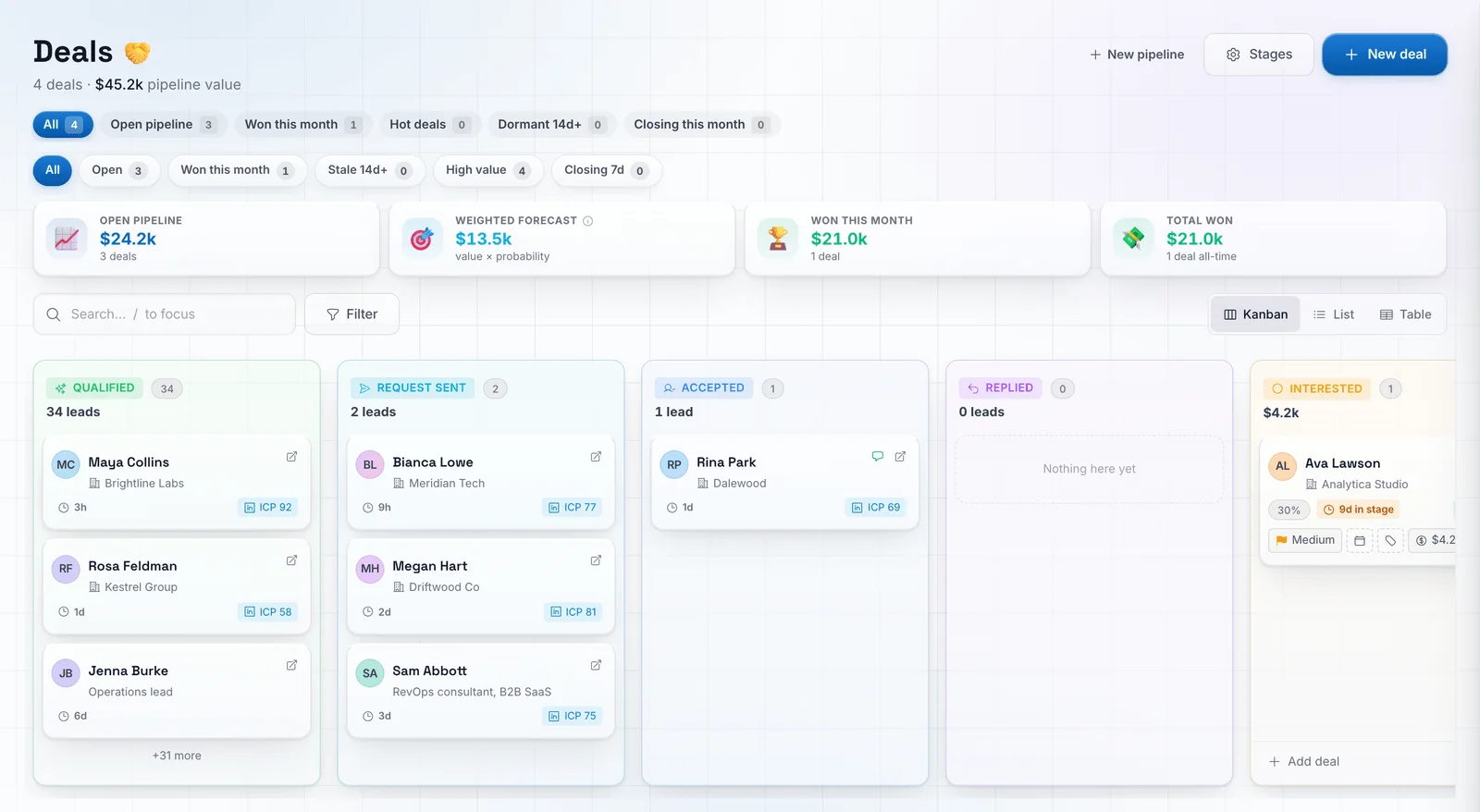
You counted your requests and kept to ten a day.
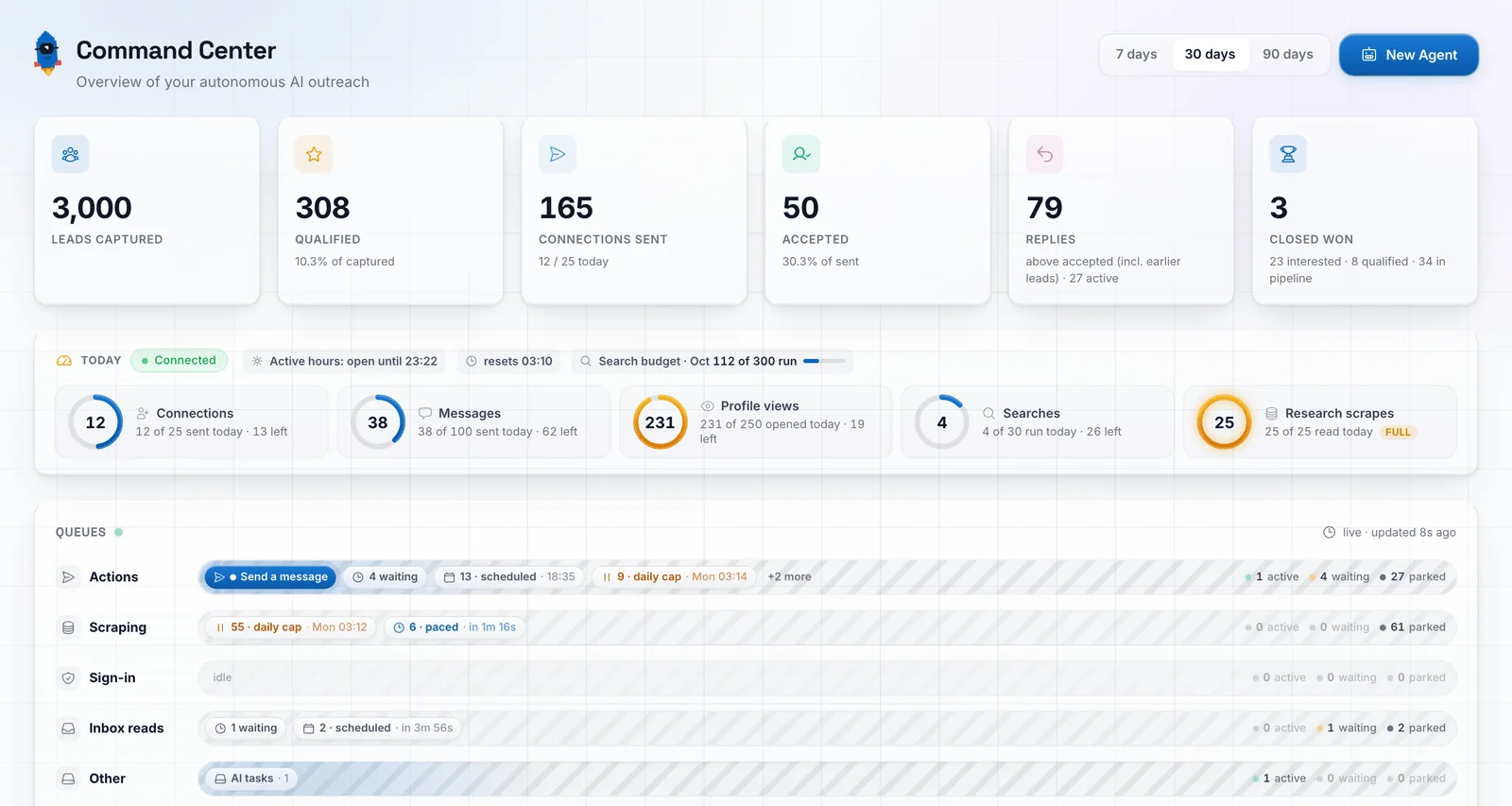
It keeps to 20 connection requests a day by default, 25 at the ceiling, and a new sender warms up over 16 days. The app shows the caps and how much of them is spent.
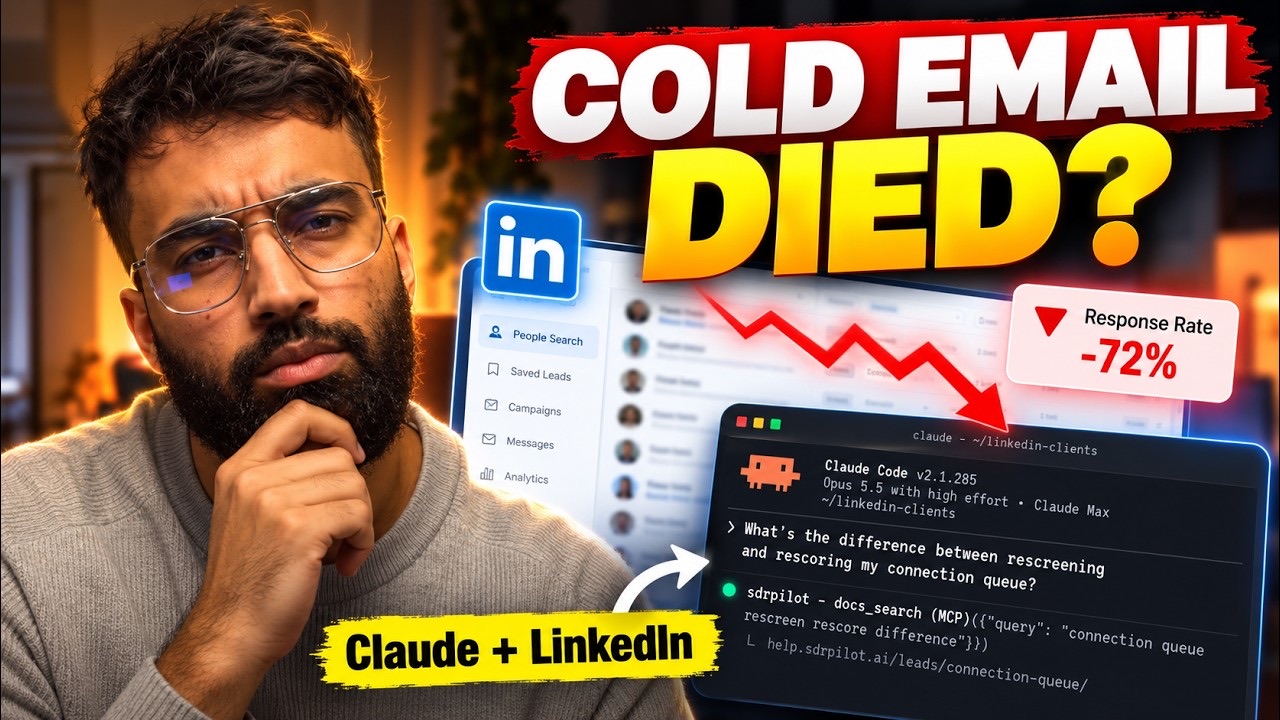
There is also a free SDR Pilot plugin for Claude Code. If you already work in Claude Code, it lets Claude run this loop from a chat, with the same daily limits as the app.
Want it running for you instead of doing it by hand? SDR Pilot has a 14-day free trial.
Start the free trial10. What this is worth to you
A daily pace and two rates decide how many conversations you get. Here are mine, put in yours.
The calculator below opens at 20 connection requests a day, with 50% accepted and 50% of those replying. Mine in September were 20 a day, 43% accepted and 42% replied, so drag the two sliders down to see my month, then set your own. I had no call with any of my three customers, so under How do you close I pick Close in the DM.
Everything after the reply depends on your offer and your price, which is why those are controls you set. If you are doing Part 1 by hand at ten requests a day, set the pace to 10.